One of the most hotly discussed areas amongst teachers and parents today is how we help students use technology in a safe and responsible way. As Christian teachers and parents, we take that question a step further and ask how do we help student learn to use technology in a God-pleasing way?
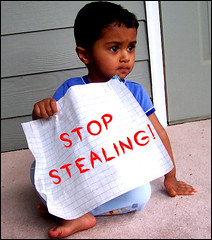
While there are many approaches to answering these types questions, I suggest we take a catechetical approach. Since the Ten Commandments were given by God to help his people live together in community, the commandments are a great place to start thinking about how we help children learn to be God’s kids online! So, let’s start with something very practical: stealing.
With the invention of digital technologies, the processes of copying & pasting, ripping & burning, and creating & remixing have become easier and easier. What once used to be the domain of professional musicians, photographers, and writers is now accessible to everyone with a computer. How do we teach students that when a person creates something of value, that creation should be valued, respected, and protected? How do we help students see that just because something can be downloaded, does not mean that it should be? How do we help students see that the property talked about in the meaning to the 7th Commandment applies just as much to intellectual property as it does to physical property?
The 7th Commandment and its meaning, according to
Luther’s Small Catechism, not only exhort us to not
steal our neighbor’s property (physical and intellectual), but it also calls us to help him “improve and protect” it. As teachers of the Gospel, we can have a powerful impact as we model and instruct students on the appropriate and respectful use of intellectual property.
Modeling Appropriate Use
One of the ways we can help students “improve and protect” their neighbor’s creative work is by intentionally modeling respect for a content creator’s work in our own practice. Educators at every level should be citing the sources, images, and media they use with students. The old adage is always true: students’ learning is caughtmore than it is taught. When students see you as their teachers taking time to properly cite sources, they will be less likely to hassle you when it comes time to have them provide documentation for their work.
Honor the intellectual property of others by properly citing work.
This is especially true if you want to use a copyrighted work. Teachers need to make a solid effort to get permission to use content labeled as
All Rights Reserved. I will often use images for presentations from the image sharing website
Flickr; and more often than not, the image(s) I want to use are labeled as
All Rights Reserved. Without exception, every photo owner I have contacted has given me permission to use their photos. When I get the email confirming permission to use, it’s rewarding to let my students know we are 100% legal. While having to go through that process of getting permission is a bummer, it is a worthwhile endeavor. Besides, in my experience, copyright owners are more than willing to share and grant you permission to use their stuff as long as you ask! You cannot be guaranteed that a copyright owner will always give permission; but it is their right to make that decision, not yours.
Since the
1998 Digital Millennium Copyright Act, even if materials are not registered with the copyright office, copyright laws still protect them and they should not be considered in the public domain unless specifically stated.
As educators, we have freedom to use a wide range of copyrighted material for classroom instruction on a single occasion, even if prior approval has not been granted, as long as four conditions are met:
- The clear purpose of use is for teaching, scholarship, or research.
- The nature of the material must permit copying.
- The amount used of the total material is limited (10% or less).
- The use of the material cannot have a negative effect on the present or future sales or market value of the work.
The problem we run into though is that our students are not able to make the same distinctions about Fair Use as educators. I have never thought about the 7th Commandment as having any gray area, but trying to interpret it in light of Fair use guidelines makes it unclear at best and, at worst, a legal nightmare. There has got to be a better way.
Teaching A Better Way
Digital technology has forced the hand of many artists. Very few content creators want their work in the public domain (free for anyone to use and for any purpose), but the restrictive nature of copyright to many is equally undesirable. There has to be some middle ground, and thankfully there is:
Creative Commons (CC) Licensing<
http://www.creativecommons.org>. In a nutshell, Creative Commons is a less restrictive, “Some Rights Reserved” licensing structure for content creators who would like to retain exclusive ownership rights to their work, but feel comfortable giving away some of those rights.

- Attribution–”This license lets others distribute, remix, tweak, and build upon your work, even commercially, as long as they credit you for the original creation.” Every CC licensed work carries an attribution license. People who use a CC licensed work must give credit or attribute that work and do it in a way identified by the content creator.
- Non-Commercial–Works may be used in any manner as the user sees fit, but they cannot make a profit off of the use of the licensed work. The premise is that the only person who should be able to make a profit from their work is the creator. Non-Commercial licensed works are free to be distributed, remixed, tweaked, or built-up, but they cannot be used for commercial gain.
- Share Alike–All works created under this license can be remixed, tweaked, or built upon; but the new work must have the have same license as the original. So, if you find an image on Flickr that is licensed as share alike, you are free to edit or change it in any way you would like; but when you are done, the new image must have the same license as the original image you started with it.
- No Derivative works–Any Creative Commons work identified with a non-derivation symbol must be used “as is.” The content can be distributed, just as long as it is used or passed along unchanged and whole.
The great thing about these licenses is that they can mixed and matched to give content creators maximum flexibility. For example, all of my personal online content is licensed as Creative Commons: Attribution, Non-commercial, and Share alike. This means that anyone who wants to use, remix, tweak, re-purpose or copy any of my work is free to do so as long as they attribute me as the original creator, they do not receive monetary gain from its use, and they must also license their work as “share alike.”
Creative Commons works can be found all over the web. Websites like Google images and Flickr give teachers and students the ability to narrow down keyword searches to only include results which are labeled for reuse or are Creative Commons licensed. There are also websites like
CCMixter and
digCCMixter that have whole songs, loops, sound effects labeled for reuse. YouTube now allows users to label their uploaded videos as Creative Commons as well.
Teaching students to search and find this type of licensing takes the ambiguity out of using someone else’s work! Our kids can create with confidence, knowing that they are not only upholding international copyright law, but that they are also showing honor and respect for other people’s work.
Looking for more information about Creative Commons licensing or copyright in general? Check out the following links: